One home for everything.
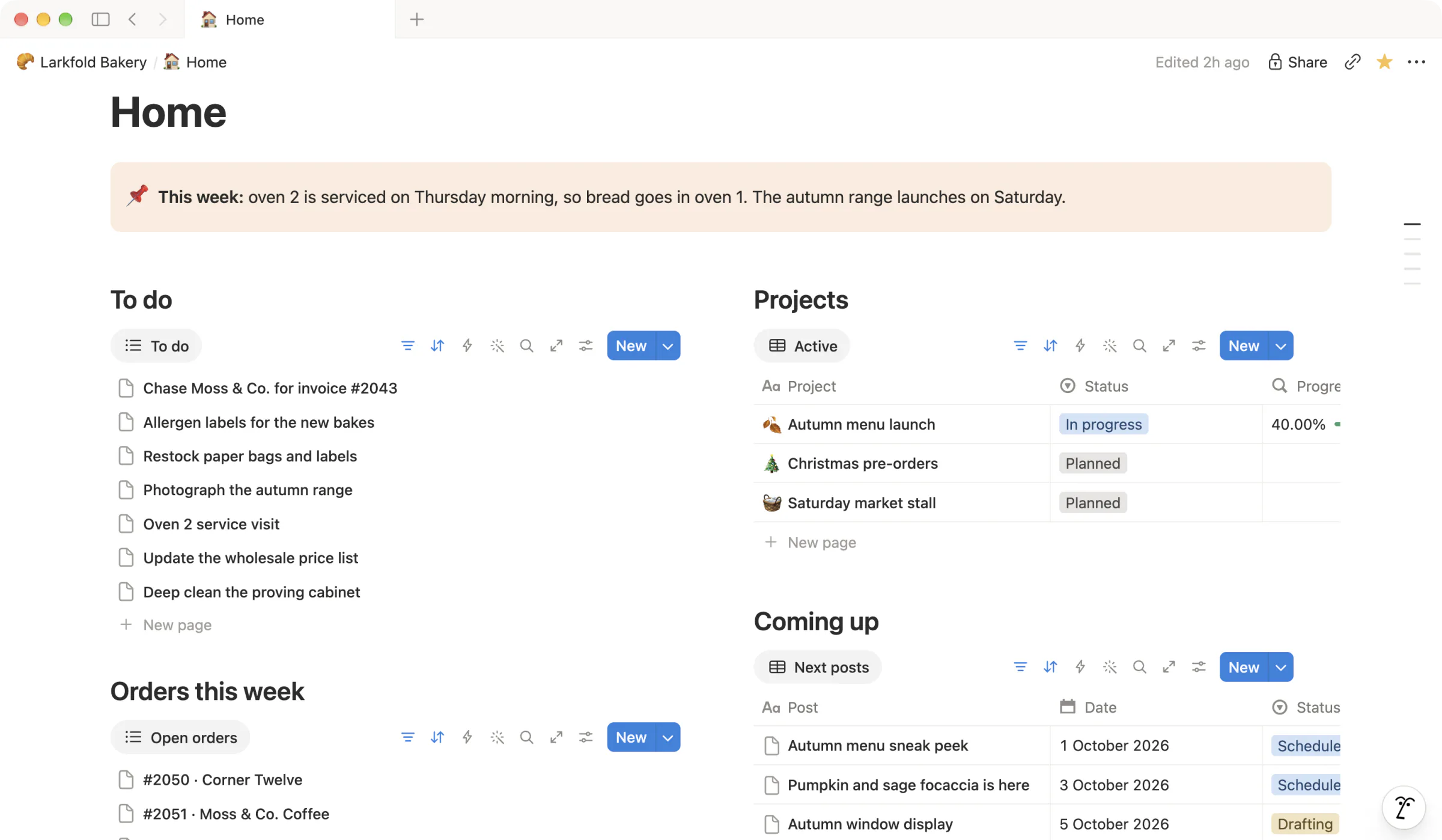
Your week, your to-do list, open orders and what's coming up, on the page you open first.
Notion workspaces
When work is spread across chats, emails, spreadsheets and people's heads, things get missed. A Notion workspace gives it one place — projects, clients, plans and who's doing what — so everyone works from the same picture.
You don't need a new workspace to get help. If you already use Notion, a review or a few changes might be all it takes.
01
I look at the workspace you have and tell you what I'd change.
You already use Notion, but it's grown messy or no longer matches how you work.
The workspace, shared with me as a guest or as a link with duplication turned on, and a few lines on what feels wrong.
A fee agreed before I start.
Ask about this02
I fix or extend the workspace you already have.
A database that's grown out of hand, a process the team keeps working around, or a part that's missing.
The problem you want solved, and the pages involved, shared as a guest invite or a link with duplication turned on.
Per job, quoted once I've seen the workspace.
Ask about this03
I build a workspace from scratch, around how you already work.
You're new to Notion, or starting over is simpler than fixing what's there.
What the workspace is for, who will use it, and what you use now — even if that's chats, spreadsheets and paper.
Per project, quoted after a short call.
Ask about thisStarting points, not a menu. Most workspaces are two or three of these, joined up.
Shown with Larkfold Bakery, an invented business.
Your week, your to-do list, open orders and what's coming up, on the page you open first.
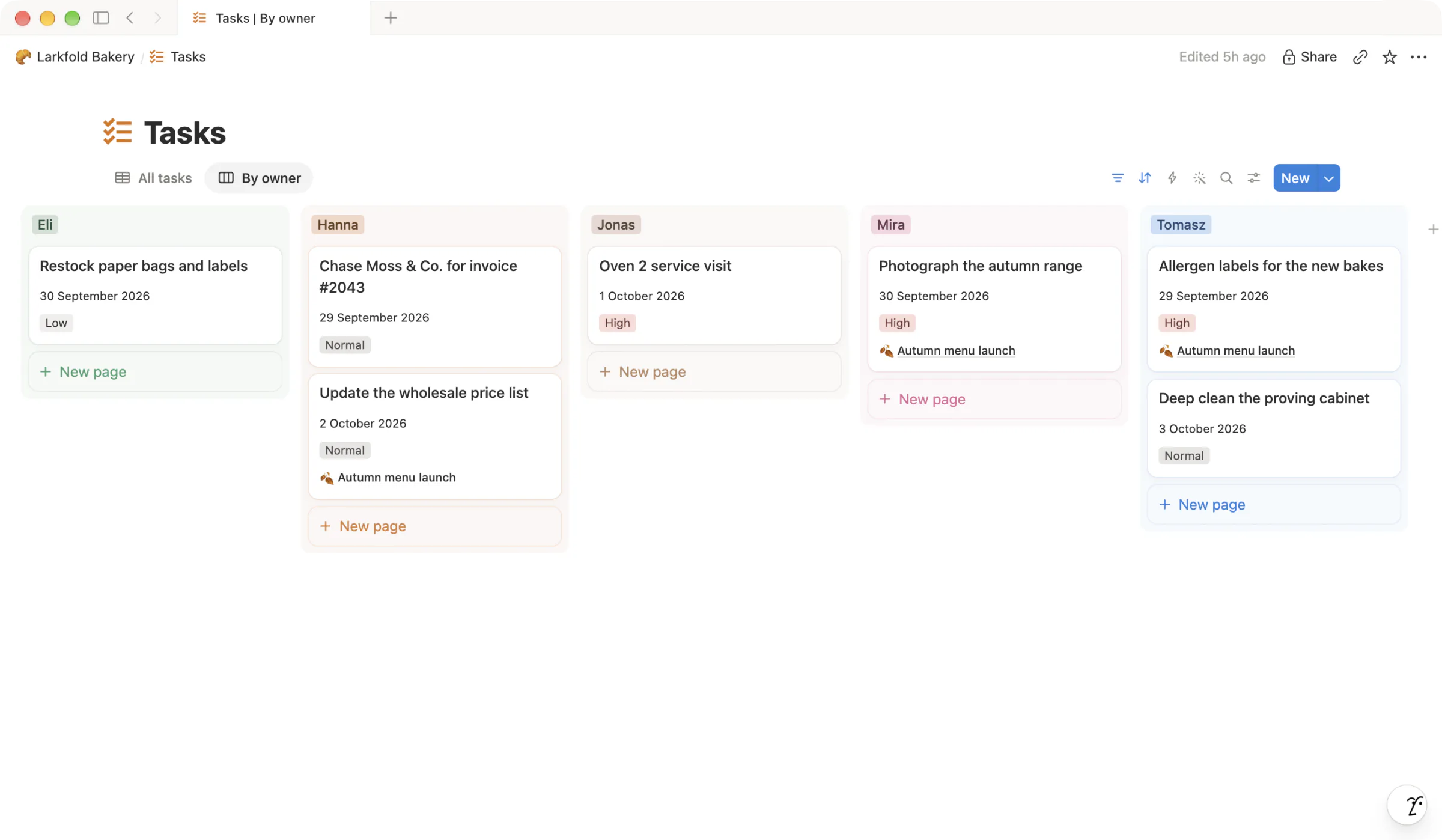
Tasks grouped by person, each with a date and a priority. Nobody has to ask.
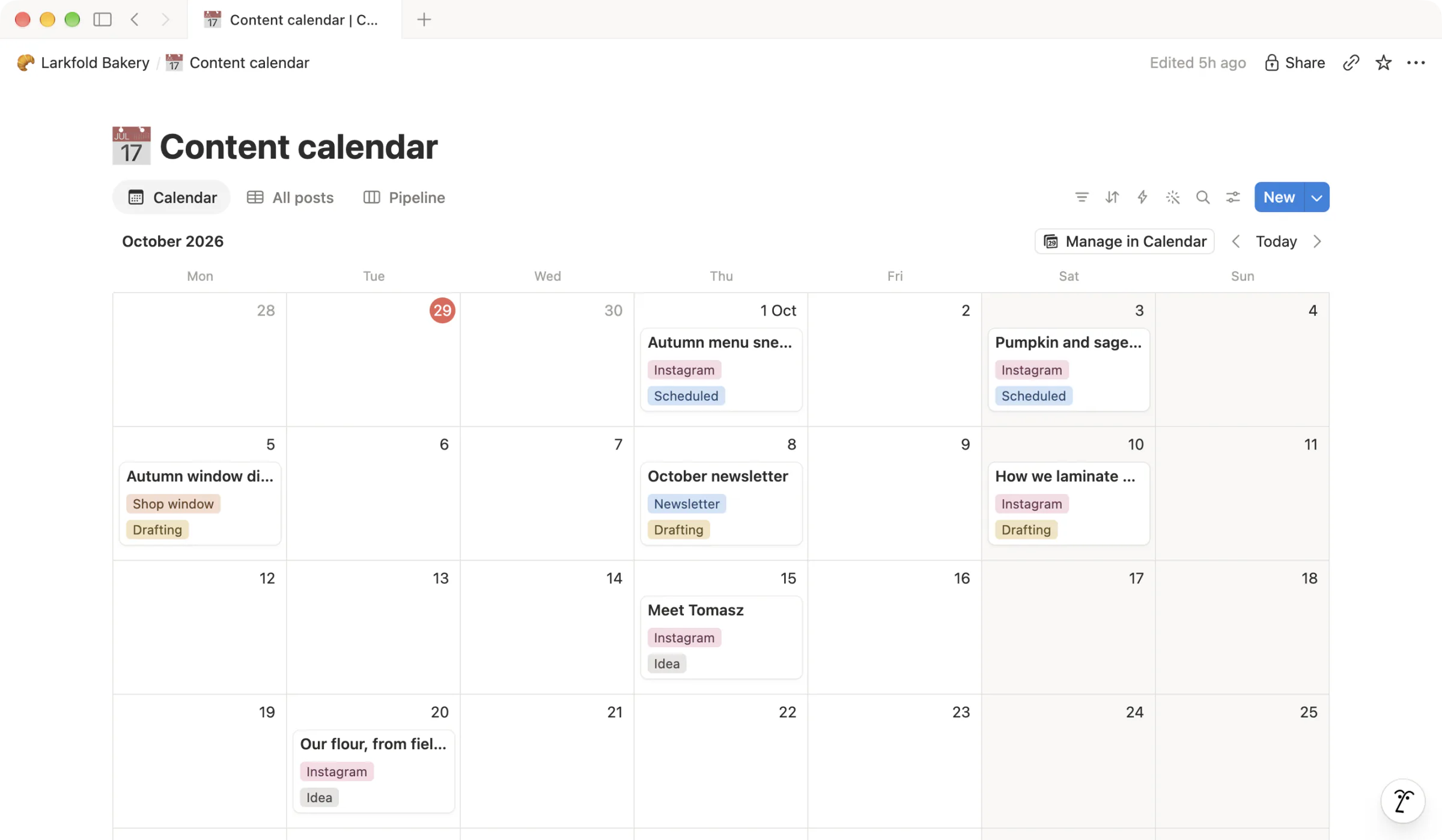
A content calendar that shows what's going out and what still needs writing.
Often not. A personal workspace usually runs fine on the free plan. Teams tend to need a paid plan once more people join. I'll tell you which fits before we start.
You do. It's built in your Notion account, and I don't keep access once we're done unless you ask me to.
Either invite me as a guest to the pages you want me to see, or share a public link with duplication turned on and I'll work from a copy. Both can be undone the moment I'm finished.
Yes. The workspace is built to be used, not studied, and the walkthrough covers what you need and nothing more.
Yes — notes, lists and spreadsheets you already have. Moving years of files from other systems is a separate conversation.
Tell me how your work runs today and what's getting in the way. I read every message myself.